
Create your own coloring book and you can turn one good idea into a classroom resource, a thoughtful gift, a calming activity, or a printable product. You are not just making pages. You are making something people can use, color, share, and come back to.
This guide walks through the full process: choosing a purpose, planning pages, creating line art, checking print quality, and preparing a finished PDF. It is written for parents, teachers, artists, therapists, church leaders, and small business creators who want a practical workflow instead of vague inspiration.
If you want to move quickly, EasyColor can help you create printable line art from text prompts, photos, or themed ideas, so you can spend more time improving the book and less time staring at a blank page.
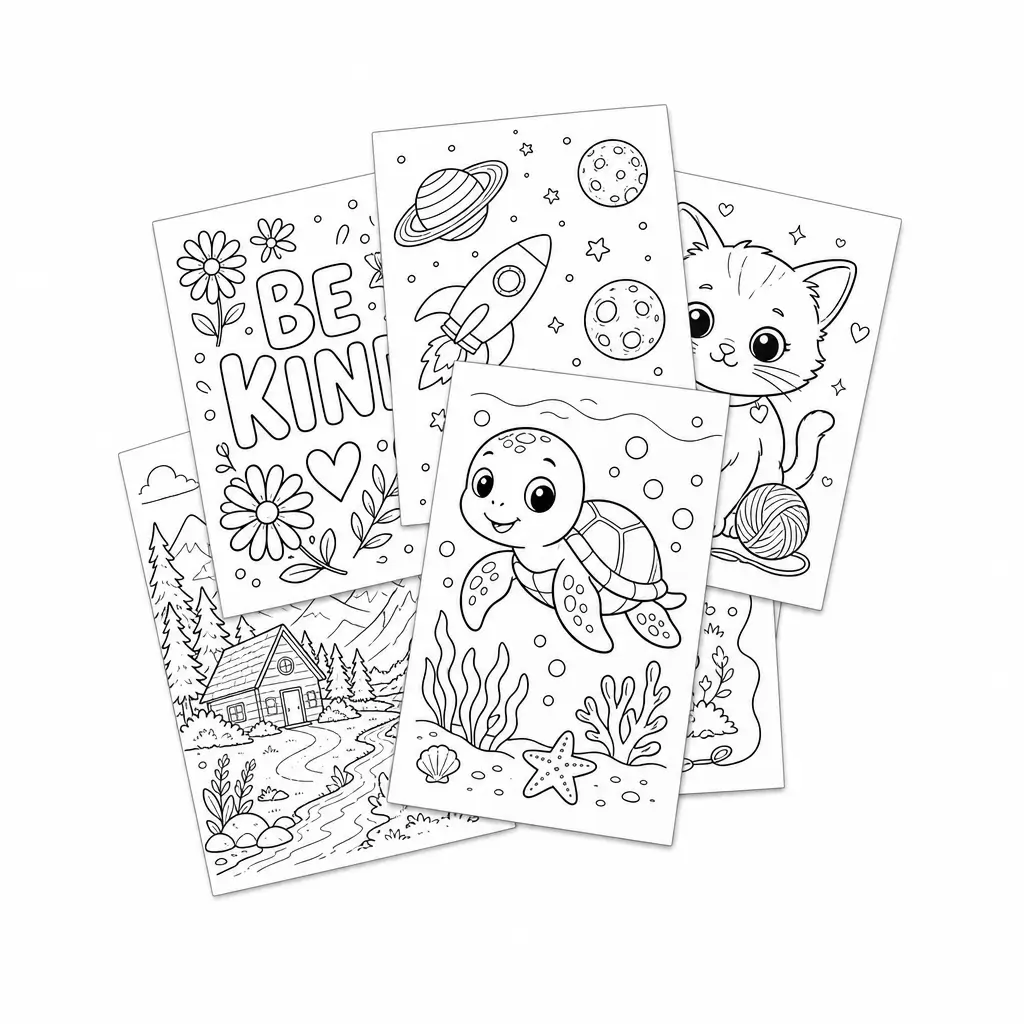
Key takeaways
- Start with a clear audience, purpose, and theme.
- Plan the page list before making artwork.
- Use a mix of easy, medium, and detailed pages.
- Generate or convert clean black-and-white line art.
- Print-test at real size before sharing or selling.
- Add useful extras such as a cover, name page, activity pages, and credits.
- Use original or properly licensed material if the book will be public or commercial.
Choose the purpose, audience, and theme
If you want to create a coloring book people actually enjoy, start with the reader. The audience shapes the style, difficulty, page count, cover, and final format.
Ask:
- Who will color it?
- Why will they use it?
- Where will they use it?
- How much time should one page take?
A preschool coloring book needs thick outlines, large shapes, and plenty of white space. An adult mindfulness book can include patterns, florals, and more intricate details. A classroom packet should be clear, quick to print, and easy to use without extra instructions.
Define who the book is for
Pick one primary audience before making pages. This prevents a common mistake: mixing toddler pages, older-kid detail, and adult-style designs in one book.
Common audiences include:
- ages 3-5: single objects, very bold outlines, low detail
- ages 6-8: simple scenes, a few background elements, medium detail
- ages 9-12: layered scenes, patterns, smaller areas
- teens and adults: decorative line art, calming themes, more detail
- mixed classrooms: simpler pages with optional challenge pages
If you are making the book for a classroom, therapy space, or event, consider attention span, fine motor skills, and how long people will have to color.
Try this sentence: "This coloring book is for ___, and it helps them ___." If you can fill that in clearly, the rest gets easier.
Pick a focused theme
A focused theme makes the book easier to plan and easier to understand. It also matters if you want to publish the book online or sell it, because people need to know what they are getting within seconds.
Strong theme examples:
- farm animals for ages 4-6
- beach day summer coloring book
- dinosaur birthday party pages
- Bible stories for Sunday school
- calm-down coloring pages for therapy waiting rooms
- personalized birthday book with a child's name
- fall classroom coloring and activity packet
With EasyColor's text to coloring page generator, you can generate pages around one theme by reusing a consistent prompt pattern. If your book is photo-based, use the photo to coloring page tool to convert related images into a matching set.
Decide on length and difficulty
Most first coloring books work best at 13 to 26 interior pages. That gives enough variety without turning the project into a months-long job.
A practical difficulty mix:
| Difficulty | Share of book | Best for |
|---|---|---|
| Easy | 40% | warm-up pages, young users, quick wins |
| Medium | 40% | main content and general readers |
| Detailed | 20% | older kids, adults, challenge pages |
For younger kids, keep the whole book simpler. For adults, use detail carefully. A page can be beautiful on screen and still unpleasant to color if the lines are too crowded.
Plan your pages before making them
Before you create artwork, make a simple blueprint. This saves time and keeps the book cohesive.
A 20-page kids' animal book might look like this:
- Cover
- Name page
- Welcome page
- Big lion face
- Elephant with balloon
- Monkey in tree
- Turtle on beach
- Easy bird page
- Safari jeep scene
- Giraffe pattern page
- Zebra close-up
- Hippo in water
- Crocodile page
- Rhino page
- Jungle scene
- Match-the-animals activity
- Spot-the-difference page
- Favorite animal page
- Credits or note page
- Back cover
The list does not need to be perfect. It only needs to give you a working path.
Create the coloring pages
You can create the pages in several ways:
- write prompts in the AI coloring page generator
- convert photos with photo to coloring page
- combine generated pages with free printable coloring pages as references
- draw sketches manually and refine them digitally
For prompt-based pages, keep instructions clear and coloring-friendly:
cute dinosaur holding balloons, black-and-white coloring page, bold clean outlines, white background, large open spaces, no shading
That prompt gives the model the subject, activity, page format, line style, and print constraints.
For photo-based books, use bright photos with one clear subject. If a page looks too busy after conversion, simplify the background or choose a stronger source image.
Keep the line art usable
A good coloring page is not the same as a black-and-white illustration. It needs to be enjoyable to color.
Look for:
- clear main subject
- readable outlines
- white background
- enough open areas for coloring
- limited clutter
- no heavy shadows
- no tiny detail that disappears on paper
Avoid prompt words that push the output toward finished art:
- colorful
- cinematic
- photorealistic
- watercolor
- oil painting
- dramatic lighting
- heavy shadow
- dark background
Use coloring-page words instead:
- black and white
- clean line art
- bold outlines
- printable coloring page
- white background
- no color
- no shadow
- large open spaces
Add useful extras
Small extras can make a coloring book feel complete.
Consider adding:
- cover page
- title page
- "This book belongs to" name page
- simple activity pages
- blank drawing page
- favorite-page voting page
- credits or brand page
- printable instructions for teachers or parents
For personalized books, create a name page with the child's name in bubble letters. You can prompt EasyColor with something like:
the name Emma in large bubble letters, flowers and butterflies around the name, simple black-and-white coloring page, bold clean outlines, white background
This type of page works well for birthdays, classroom rewards, and party favors.
Format for printing
Most coloring books should be easy to print on US Letter or A4. Keep the layout simple.
Recommended settings:
- one coloring page per sheet
- black line art on white background
- generous margins
- no important lines close to the paper edge
- high-resolution PNG for single pages
- PDF for full books or classroom packets
Print one or two sample pages before finalizing the book. Screen previews can hide weak gray lines, crowded details, or sizing problems.
Prepare a PDF
Once the pages are ready, assemble them in order. Keep the file clean and easy to use.
A good PDF should:
- open quickly
- print at the expected size
- keep every page centered
- use consistent margins
- include the cover first
- avoid low-resolution images
If the book is for a class or event, name the file clearly. For example: fall-classroom-coloring-book.pdf.
Share, gift, or sell the book
How you share the book depends on your goal.
For family use, a simple PDF is enough. For classrooms, make sure pages are easy to print in black and white. For gifts, consider printing on thicker paper and binding the pages. For selling online, prepare a clean product preview and be clear about what buyers receive.
If you plan to sell or publish the book, protect yourself:
- use original images or properly licensed assets
- avoid copyrighted characters
- do not use private photos without permission
- include attribution when a license requires it
- keep a simple record of your source files
You can also use internal topic pages for inspiration, such as dinosaur coloring pages, cat coloring pages, dog coloring pages, and butterfly coloring pages.
A simple EasyColor workflow
Here is a practical workflow you can use today:
- Pick one audience and theme.
- Draft a page list.
- Generate 3-5 test pages with text to coloring page.
- Convert any personal photos with photo to coloring page.
- Choose the best style direction.
- Create the remaining pages.
- Print-test several pages.
- Assemble the PDF.
- Share, print, or publish.
Start small. A useful 12-page coloring book is better than a huge unfinished project.
FAQ
Can I create a coloring book without drawing skills?
Yes. You can use EasyColor to generate line art from prompts or convert photos into coloring pages. Drawing skills help, but they are not required.
How many pages should a beginner coloring book have?
For a first project, 13 to 26 interior pages is a good target. For party favors or classroom mini-books, 8 to 12 pages can be enough.
What makes a coloring book page good?
Clear outlines, enough white space, a recognizable subject, and a print-friendly layout. A good page should feel inviting, not cluttered.
Can I sell AI-generated coloring books?
You may be able to sell them, but you should use original prompts, avoid copyrighted characters, review the output carefully, and follow the terms of the tools and marketplaces you use.
Should I make pages from prompts or photos?
Both work. Prompts are great for themed scenes and imaginative ideas. Photos are best for personal books, pet portraits, family memories, and custom gifts.