
AI coloring book generators make it possible to create custom coloring pages from prompts, photos, and ideas. For teachers, parents, artists, and small creators, they can turn a blank page into a printable activity much faster than traditional design workflows.
The best results still need thoughtful prompts and quality review. A coloring page must be more than a black-and-white image. It needs clear outlines, open spaces, and a subject that feels enjoyable to color.
With EasyColor's AI coloring page generator, the workflow is built around printable coloring pages rather than general AI art.
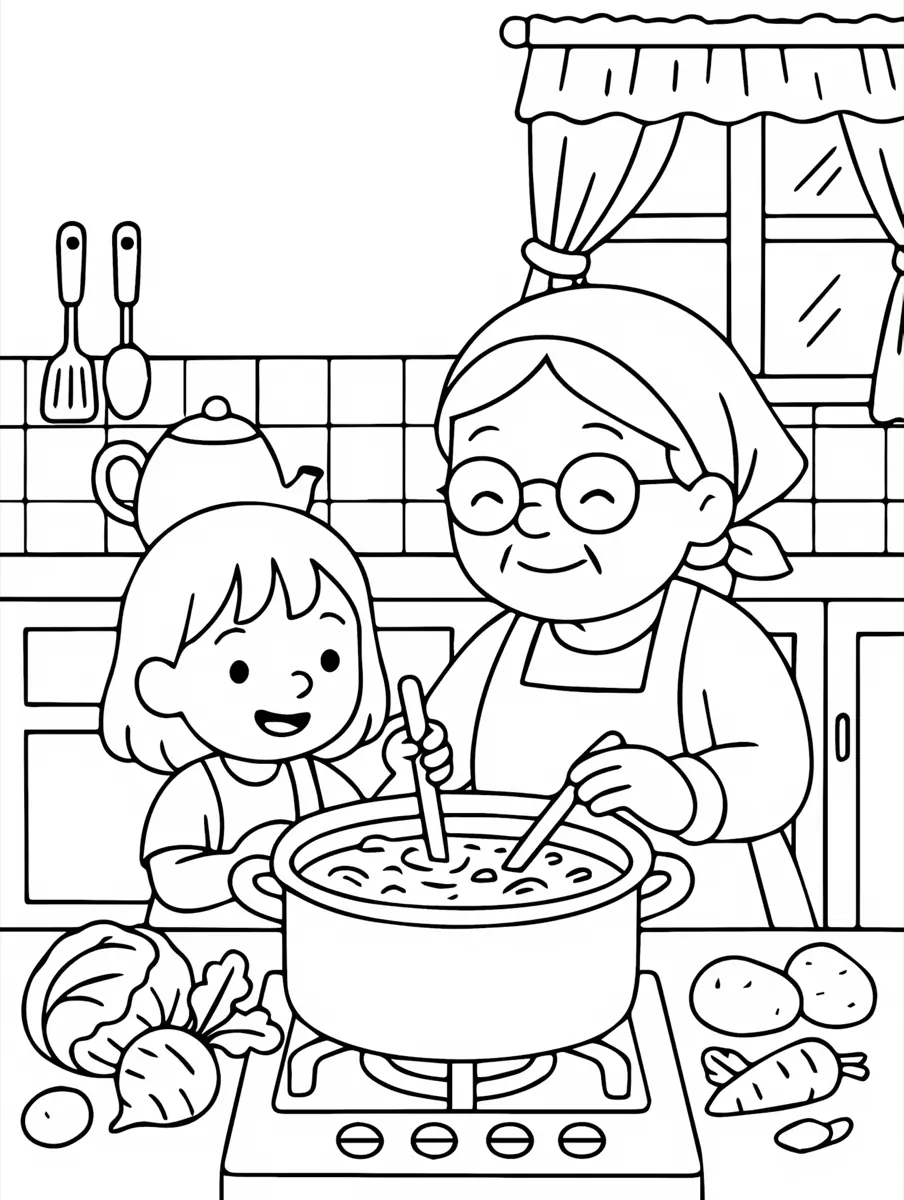
What is an AI coloring book generator?
An AI coloring book generator is a tool that uses artificial intelligence to create coloring-page-style images. The input can be:
- a text prompt
- a photo
- a theme
- a name
- a classroom idea
- a product concept
The output is typically black-and-white line art that can be printed, saved, or used inside a larger coloring book.
For example, a prompt like "cute baby dragon reading a book, printable coloring page, bold outlines, white background" can become a page for kids. A photo of a pet can become a personalized coloring sheet with photo to coloring page.
How AI coloring book generators work
AI coloring book generators use models that interpret your input and produce visual output. The process usually looks like this:
- You enter a prompt or upload an image.
- The AI identifies the main subject and style request.
- The model creates or converts the page into line art.
- The output is simplified for coloring.
- You download, print, save, or revise it.
The better your input, the better the output. Specific prompts usually produce more usable pages than vague ones.
For example:
friendly astronaut floating near planets, black-and-white coloring page, bold clean outlines, white background, no shading, large open spaces
That prompt gives the model the subject, setting, format, style, and print rules.
Benefits of AI coloring book generators
Quality and style variations
AI can create many styles quickly:
- simple pages for preschoolers
- cartoon line art for kids
- decorative pages for older users
- nature and animal pages
- name coloring pages
- holiday pages
- classroom worksheets
This variety helps users match pages to age, theme, and purpose.
Learning activities
Teachers and parents can use AI-generated pages for educational activities.
Examples:
- vocabulary objects
- animal habitats
- planets and space
- historical landmarks
- numbers and letters
- classroom routines
- science diagrams
You can also combine generated pages with free printable coloring page collections for faster planning.
Time and cost efficiency
AI can reduce the time required to create a first draft. Instead of hiring an illustrator for every test idea, creators can generate samples, choose the strongest direction, and refine from there.
This is useful for:
- party favor pages
- classroom packets
- printable products
- custom gift pages
- themed mini-books
- pet portrait pages
For a full workflow, read how to create your own coloring book.
Popular ways to use AI coloring book generators
Prompt-based pages
Use text to coloring page when you know the idea you want.
Good prompt:
happy farm animals near a barn, simple printable coloring page, bold outlines, white background, no shadow
Photo-based pages
Use photo to coloring page when you want something personal, such as a pet, family photo, toy, or object.
For photo tips, see how to make a free coloring page from a photo.
Themed coloring books
Use one theme and generate several related pages. Strong themes include dinosaurs, cats, dogs, butterflies, holidays, birthdays, classroom topics, and calm floral pages.
You can browse dinosaur coloring pages, cat coloring pages, dog coloring pages, and butterfly coloring pages for examples.
Using AI coloring book generators effectively
Generate high-quality images
A strong coloring page prompt should include:
- the subject
- the action or scene
- "black-and-white coloring page"
- "bold clean outlines"
- "white background"
- "no shading"
- age or complexity guidance
Avoid vague prompts when you need a printable result. "Dragon" is weaker than "cute baby dragon sitting on a cloud, simple black-and-white coloring page, bold outlines, large open spaces."
Improve contrast
Coloring pages need clear contrast. Lines should be dark enough to print well, while coloring areas should remain white.
If the result looks gray or muddy:
- regenerate with "pure white background"
- ask for "no shadows"
- simplify the scene
- choose a bolder line-art style
- test print before using it
Use precise style language
For coloring pages, the most useful style language is about line quality and complexity, not color.
Helpful phrases:
- clean line art
- bold outlines
- large open spaces
- simple shapes
- printable coloring page
- white background
- no fill
- no shading
- connected outlines
If you are making a page for older users, add "medium detail" or "decorative line art." For young kids, add "simple shapes" and "easy for children to color."
Potential challenges
Quality issues
Some AI pages look impressive on screen but do not work well on paper. Watch for fuzzy edges, gray artifacts, confusing shapes, and crowded backgrounds.
Complex lines and clutter
Too many small lines can make a page hard to color. This is especially true for younger children. Simplify the prompt or remove background detail.
Copyright risks
Avoid asking for famous characters, branded designs, or protected artwork. Use original themes and generic descriptions.
Inconsistent results
AI generation can vary. Save prompts that work, generate several options, and choose the cleanest page.
How EasyColor helps
EasyColor focuses on coloring-page workflows:
- AI coloring page generator for prompt-based pages
- photo to coloring page for uploaded pictures
- free printable coloring pages for ready-made sheets
- online coloring for digital coloring
This makes it easier to move from idea to usable page without treating the result like generic AI artwork.
FAQ
What is the best AI coloring book generator?
The best tool depends on your goal. If you want printable coloring pages from prompts or photos, EasyColor is designed specifically for that workflow.
Can AI create a full coloring book?
Yes. Generate multiple related pages around one theme, review quality, test print, and assemble them into a PDF.
What makes a good AI coloring page prompt?
Use a clear subject, scene, and style constraints such as "black-and-white coloring page," "bold outlines," "white background," and "no shading."
Can I use AI coloring pages in the classroom?
Yes. Teachers can create topic-specific pages for lessons, quiet time, vocabulary, and seasonal activities.
Can I sell AI-generated coloring books?
Possibly, but review the tool terms, avoid copyrighted characters, and check every page for quality and originality before selling.