
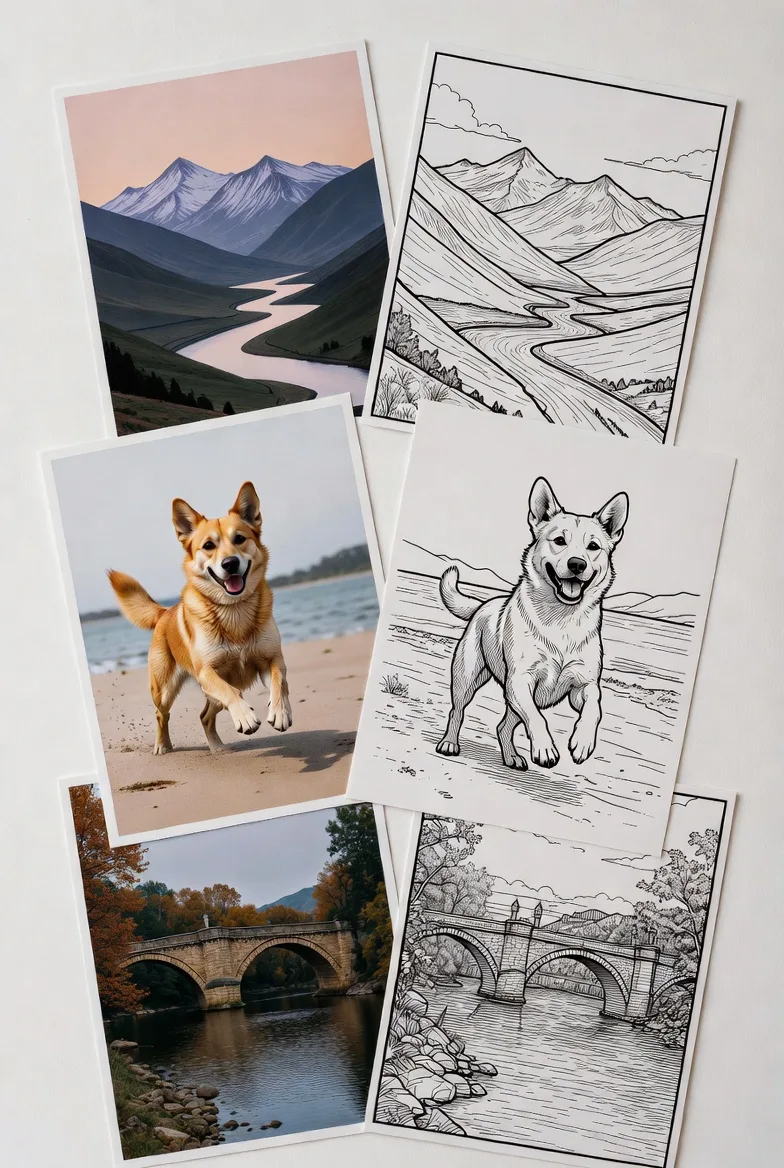
You do not need to be a designer to make your own coloring book with photos. If you already have family snapshots, classroom pictures, pet portraits, travel memories, or event photos, you can turn them into printable line-art pages that feel personal and fun to color.
That is the appeal of a photo-based coloring book. It can become a thoughtful gift, a classroom activity, a party favor, a calm mindfulness project, or even a small printable product. With EasyColor's photo to coloring page tool, the hard part is not learning complex design software. The real work is choosing good photos, keeping the book focused, and making sure the final pages print clearly.
Key takeaways
- A strong photo coloring book starts with a clear purpose, audience, and theme.
- The best source photos are bright, sharp, uncluttered, and centered around one main subject.
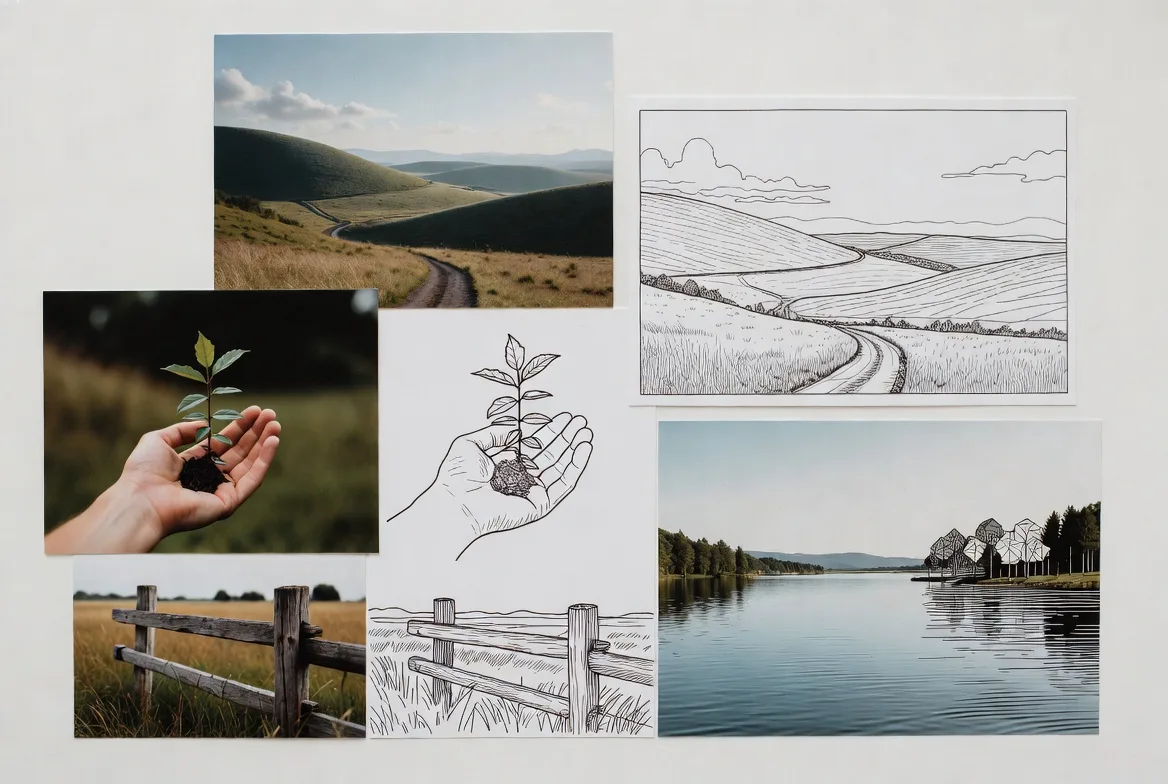
- Good coloring pages are not just edge-detected photos. They need clean outlines, open spaces, and enough simplification to be enjoyable.
- A first photo coloring book does not need to be huge. Twelve to twenty pages is often enough.
- Test print a few pages before assembling the full PDF or sharing the book.
- EasyColor can help you move faster by converting photos into printable coloring-page style pages in the browser.
Choose the purpose, audience, and style
Before you upload a single image, decide what the coloring book is for. This choice affects the photos you select, the level of detail you keep, the page size, the cover style, and the final printing format.
A coloring book for preschoolers should look different from one made as a wedding favor, a family keepsake, or an adult mindfulness activity. Clarity at the beginning saves cleanup later.
Pick a theme that fits your goal
Choose one theme that is easy to recognize. A focused theme makes the book feel intentional instead of like a random folder of converted photos.
Useful theme ideas include:
- family vacations, birthdays, holidays, or a baby's first year
- pets, favorite toys, or simple household moments
- classroom field trips, community helpers, habitats, or history topics
- calm nature photos, flowers, gardens, or quiet places
- church events, Sunday school activities, or community gatherings
- custom pet books, local landmarks, or party favor books
Ask yourself three quick questions:
- Who will color this book?
- Why are they using it?
- Should it feel playful, calm, educational, sentimental, or giftable?
If the idea feels too broad, narrow it down to one subject, one audience, and one purpose.
Decide how many pages you need
You do not need a 100-page coloring book for the project to feel complete. Smaller first books are often better because every page has to earn its place.
Use this simple guide:
| Book type | Good first page count |
|---|---|
| Party favors or classroom mini-books | 8-12 pages |
| Family keepsakes or themed kid books | 15-25 pages |
| More polished printable products | 30+ pages |
For a first attempt, 12 to 20 interior pages is a comfortable range. It gives the book enough variety without forcing you to include weak photos.
One helpful rule: only include photos that can stand alone as coloring pages. If an image is too dark, too blurry, or too crowded, save it for another project.
Choose a simple, consistent look
Consistency matters more than fancy design. If every page has a different line weight, margin size, border style, or level of detail, the book can feel messy.
Pick a basic visual system and keep it:
- the same page size throughout
- similar line darkness
- similar margins
- one image per page
- minimal text
- black line art on a white background
If you are making the book for young children, keep the pages simple. Use big shapes, bold outlines, and fewer interior details. If you are making it for older kids or adults, you can keep more texture, but the page should still be readable and colorable.
For instant themed pages, you can also mix photo-based pages with ready-made free printable coloring pages or custom prompt-based pages from the text to coloring page generator.
Gather the best photos
The final book depends heavily on the source images. A good conversion tool helps, but it cannot fully rescue every dark, blurry, or cluttered photo.
Look for photos with:
- bright, even lighting
- sharp focus
- one clear main subject
- strong contrast between the subject and background
- simple backgrounds
- a subject large enough to fill the page
Photos that usually convert well include pets, portraits, toys, flowers, simple buildings, vehicles, and clear outdoor scenes. Photos that often struggle include dim indoor pictures, busy party scenes, tiny far-away subjects, motion blur, and strong shadows across faces.
A quick test: squint at the photo. If you can still recognize the main subject immediately, it may work well as a coloring page.
Match photos to the theme
Once you know the theme, be selective. A strong photo does not always belong in the same book.
For example, if your theme is farm animals for first graders, a cow close-up, a chicken coop, and a tractor fit. A dark cafeteria photo from the same field trip does not.
Try to keep these elements aligned:
- subject type
- mood
- complexity
- orientation
- level of detail
If one image is extremely detailed and another is almost cartoon-simple, they may feel awkward together unless you intentionally separate the book by difficulty.
Organize images before converting
This step sounds plain, but it saves time.
Create a project folder with subfolders such as:
- Original Photos
- Best Picks
- Converted Line Art
- Edited Final Pages
- Cover Files
- Print PDFs
Rename files clearly, for example:
pet-book-dog-01pet-book-cat-02pet-book-cover
Choose 20-30% more photos than you think you need. Some images that look promising as photos will not become good coloring pages, and backup options keep the project moving.
Turn photos into printable coloring pages
Now the photos become coloring pages. The goal is not perfect photo realism. The goal is clean, printable line art that people can actually color.
With EasyColor, the basic workflow is simple:
- Open the photo to coloring page tool.
- Upload a JPG or PNG.
- Choose a coloring-page style.
- Generate the line-art version.
- Download or save the result.
- Repeat with a few variations when a photo needs simplifying.
If you want to build a book around ideas rather than photos, use the AI coloring page generator to fill gaps in the theme. For example, if your photo book has pet portraits but needs a cover page, you can prompt EasyColor for "cute dog and cat friends, printable coloring book cover, bold clean outlines, white background."
Adjust detail for the audience
Different readers need different complexity levels.
For toddlers and preschoolers:
- use large subjects
- keep backgrounds minimal
- avoid tiny textures
- use thick, bold outlines
For elementary-age kids:
- include simple scenes
- keep a few background details
- allow medium-size coloring spaces
For teens and adults:
- keep more patterns, florals, buildings, or textures
- use detailed line art only when the outlines remain clear
- avoid pages that turn into a dense gray tangle
The best test is practical: print one page, put it on a table, and ask whether the subject is clear from arm's length.
Build the book layout
After you have your converted pages, organize them into a smooth sequence.
A simple photo coloring book might include:
- front cover
- title page
- name page
- 12-20 coloring pages
- optional activity page
- optional notes or memory page
- back cover
Put easier pages near the beginning. Mix similar pages so the book has rhythm. If you are making a family book, sequence it like a story. If you are making a classroom packet, group pages by topic.
Format pages for printing
Most home and classroom printing works best with US Letter or A4. Keep margins generous so lines do not sit too close to the paper edge.
Helpful print rules:
- use a white background
- center each image
- leave breathing room around the subject
- avoid light gray lines
- export as PDF for multi-page printing
- test one page before printing the whole book
If you plan to sell the book, also think about copyright. Use your own photos, properly licensed images, or original pages generated for your project. Avoid using branded characters unless you have the rights.
Use EasyColor to speed up the workflow
EasyColor is useful because the site is built around coloring-page output, not generic finished artwork. You can use:
- photo to coloring page for family, pet, classroom, and object photos
- text to coloring page for missing scenes, covers, and themed filler pages
- free printable coloring pages for ready-made inspiration
- online coloring when you want a digital coloring experience
The fastest workflow is usually: choose a theme, collect strong photos, convert them, print-test a few pages, then assemble the final book.
Final checklist
Before you share or print the book, check:
- Does every page match the theme?
- Are the outlines dark enough?
- Are there enough open coloring spaces?
- Is the page size consistent?
- Did you test print at least one page?
- Is the source material yours or properly licensed?
- Does the cover clearly explain what the book is?
FAQ
Can I make a coloring book from family photos?
Yes. Family photos work well when the subject is clear, bright, and not buried in a busy background. For keepsake books, choose moments that are easy to recognize and simplify them into clean line art with EasyColor's photo converter.
How many pages should my first photo coloring book have?
Start with 12 to 20 interior pages. That is enough to feel complete without making the project too large.
What photos make the best coloring pages?
Bright, sharp photos with one main subject and a simple background usually work best. Pets, flowers, toys, portraits, and simple landmarks are strong choices.
Can I sell a coloring book made from photos?
You can, but use your own photos or properly licensed images. If people appear in the photos, make sure you have permission for commercial use.
Can I mix photos and AI-generated coloring pages?
Yes. Many projects work better that way. Use photo pages for personal moments, then use the AI coloring page generator for covers, title pages, activity pages, or extra themed scenes.