
Yes, GPT Image 2 can make coloring pages if you prompt it clearly. It can understand detailed instructions and generate line-art-style images from text, but the output still needs to be checked for print quality.
The important distinction is this: an image that looks like a coloring page is not always a good coloring page. A printable page needs clear outlines, enough white space, limited shading, and a composition that works on paper.
If you want a workflow that starts from the coloring-page goal, try EasyColor's AI coloring page generator.
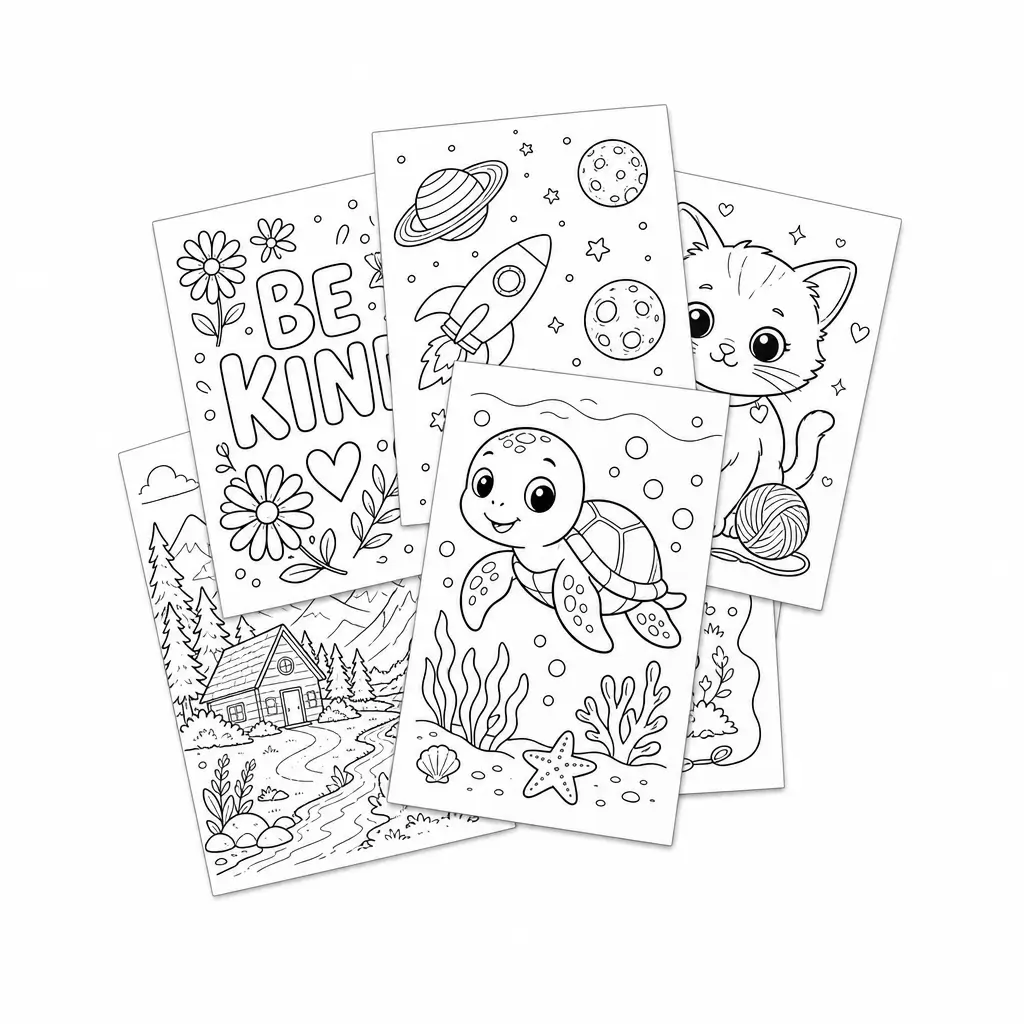
Quick answer
GPT Image 2 can create coloring pages, especially for prompt-based ideas like animals, classroom themes, name pages, fantasy scenes, and holiday activities. It may still produce outputs with extra texture, tonal shading, or detail that needs simplifying.
For best results, treat GPT Image 2 as a strong visual generator and use a strict print-focused prompt.
What GPT Image 2 is good at for coloring pages
GPT Image 2 can be useful when you want:
- prompt-based scene creation
- detailed instruction following
- variations around a theme
- name-based page ideas
- classroom concepts
- imaginative character scenes
- cover-page drafts for coloring books
It is especially helpful when your idea is specific. For example, "a friendly turtle carrying a tiny backpack on the first day of school" gives the model a clearer target than "turtle page."
A prompt structure that works
Use this structure:
Create a printable black-and-white coloring page of [subject]. Use bold clean outlines, white background, no shading, no color, no gray fill, large open spaces, and age-appropriate detail.
Examples:
- "Create a printable black-and-white coloring page of a friendly turtle carrying a backpack on the first day of school. Bold clean outlines, white background, no shading, large open spaces."
- "Cute unicorn drinking tea in a flower garden, simple coloring page for kids, connected black outlines, no color, no background clutter."
- "The name Sofia in big bubble letters with butterflies and flowers, printable coloring page, clean line art, white background."
- "Calm floral mandala for adults, black-and-white line art, symmetrical, medium detail, no gray shading."
These same prompt patterns also work in EasyColor.
Step-by-step workflow
Step 1: Define the audience
Before generating, decide who the page is for.
For young kids, ask for:
- simple shapes
- bold outlines
- large open spaces
- minimal background
For older kids or adults, ask for:
- medium detail
- decorative line art
- balanced composition
- readable pattern sections
Step 2: Generate a clean first draft
Start with one main subject. Ask for coloring-page constraints in the first prompt rather than trying to fix everything later.
If the result is too complex, do not just regenerate the same prompt. Change the instruction:
simplify the scene, remove background clutter, use fewer interior lines, keep large spaces for coloring
Step 3: Inspect the result for printability
Look for the problems that matter on paper:
- faint outlines
- gray shading
- tiny textures
- crowded backgrounds
- confusing shapes
- important details too close to the edge
If you plan to use the page in a classroom or book, print one sample.
Step 4: Build consistency for a series
If you are making several pages, use a repeated prompt framework. For example:
[subject], printable black-and-white coloring page for ages 5-8, bold clean outlines, white background, simple background, no shading
This helps pages feel like they belong together.
For a full series workflow, see how to create your own coloring book.
Common GPT Image 2 coloring page issues
Overly polished illustration style
The issue: the result may look beautiful but too finished.
The fix: ask for "line art only," "not a finished illustration," and "designed to be colored by the user."
Gray fills and soft shadows
The issue: shadows can make the page muddy when printed.
The fix: add "no grayscale," "no shadows," "pure white background," and "black outlines only."
Too much detail for children
The issue: a kid-friendly prompt can still produce small decorative lines.
The fix: add the target age and "large open spaces."
Text mistakes in name pages
The issue: AI image models can struggle with exact lettering.
The fix: keep names short, ask for "large simple bubble letters," and inspect the spelling carefully before printing.
GPT Image 2 vs EasyColor
| Feature | GPT Image 2 | EasyColor |
|---|---|---|
| Main use | broad image generation | coloring-page generation |
| Prompt understanding | strong with detailed instructions | focused on coloring output |
| Print consistency | needs checking | designed around printable pages |
| Name pages | possible, must inspect text | prompt-based workflow available |
| Photo conversion | depends on product workflow | photo to coloring page supported |
| Best for | custom concepts and visual drafts | printable sheets, classroom use, coloring books |
GPT Image 2 can be powerful, but EasyColor removes some friction by focusing the experience on line-art pages from the beginning.
When GPT Image 2 is a good choice
Use it when:
- your prompt is very specific
- you want visual exploration
- you need custom concept drafts
- you can review and revise outputs
- you are comfortable testing print quality
Use EasyColor when:
- you want faster printable pages
- you need photo-to-coloring conversion
- you are creating many pages
- you want a coloring-page-first workflow
Helpful prompt examples
- "A cheerful school bus with smiling kids waving, printable black-and-white coloring page, bold outlines, white background, no shading, simple shapes"
- "A cozy winter cabin with snowflakes and pine trees, adult coloring page, clean decorative line art, no gray fill"
- "Cute puppy wearing a party hat beside a birthday cake, kids coloring page, thick connected outlines, large open spaces"
- "Butterfly life cycle diagram, educational coloring page, simple labels, clean outlines, white background"
For ready-made inspiration, browse free printable coloring pages.
FAQ
Can GPT Image 2 make coloring pages?
Yes. Use strict line-art and print-friendly prompt instructions, then review the output before printing.
What should I avoid in prompts?
Avoid words like photorealistic, cinematic, watercolor, dramatic lighting, and highly shaded when you want a coloring page.
Can GPT Image 2 make coloring pages for kids?
Yes, but specify the age range and ask for simple shapes, bold outlines, and large open spaces.
Is EasyColor easier for coloring pages?
Usually, yes. EasyColor is built specifically for generating printable coloring pages.